Withdrawing crypto on Bitval is fast, secure, and requires just a few verification steps. Follow this guide to ensure your withdrawal is sent to the correct address and network.
Open your Wallet and choose the asset you want to withdraw (e.g., BTC, ETH, USDT, USDC).
Each asset can only be withdrawn through its supported networks.
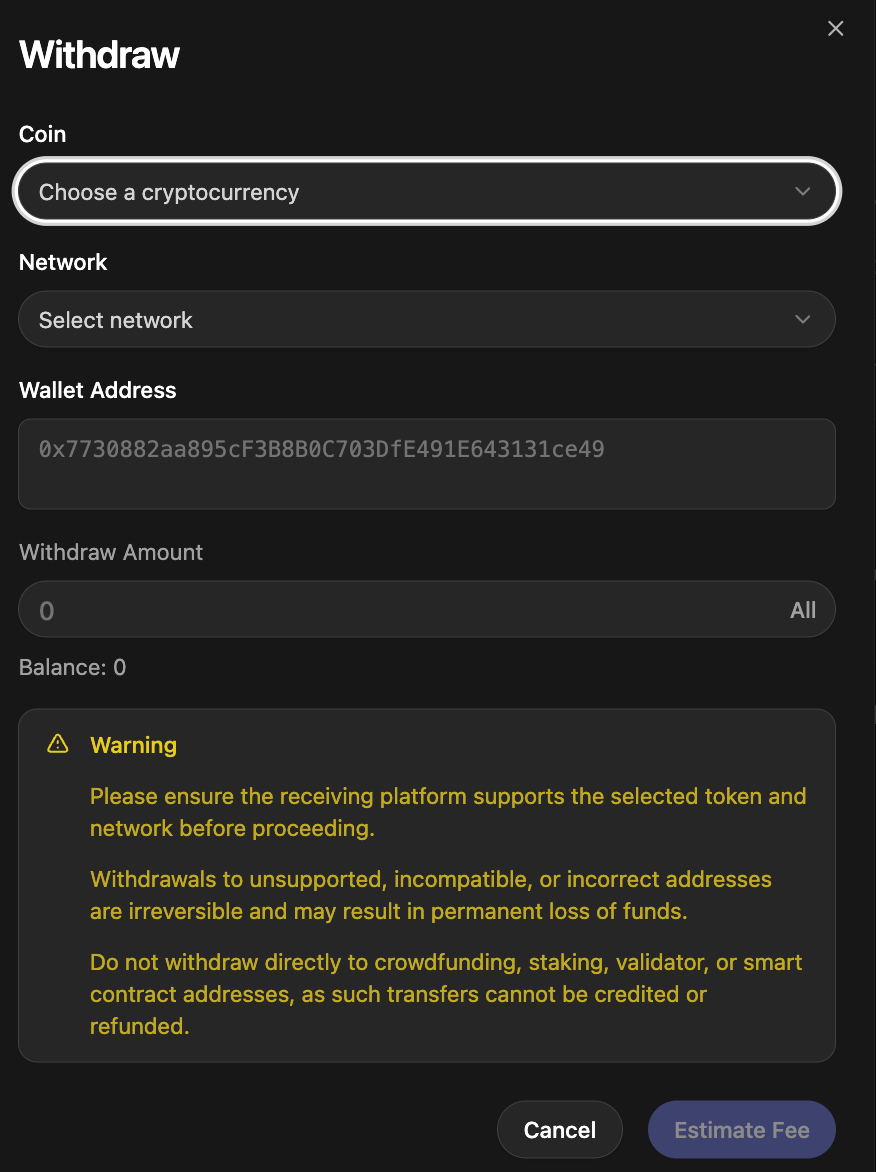
Select the network you want to use for the withdrawal.
Examples:
USDC → ERC20
USDT → TRC20 or ERC20
ETH → ERC20
BTC → Bitcoin Network
⚠ The network on Bitval must match the network of the receiving platform.
Wrong-network withdrawals cannot be recovered.
Paste the destination wallet address where you want to receive the funds.
Before continuing, always verify:
The address is correct
The receiving wallet supports the selected token & network
There are no typos, extra characters, or spaces
Enter the amount you want to withdraw or tap All.
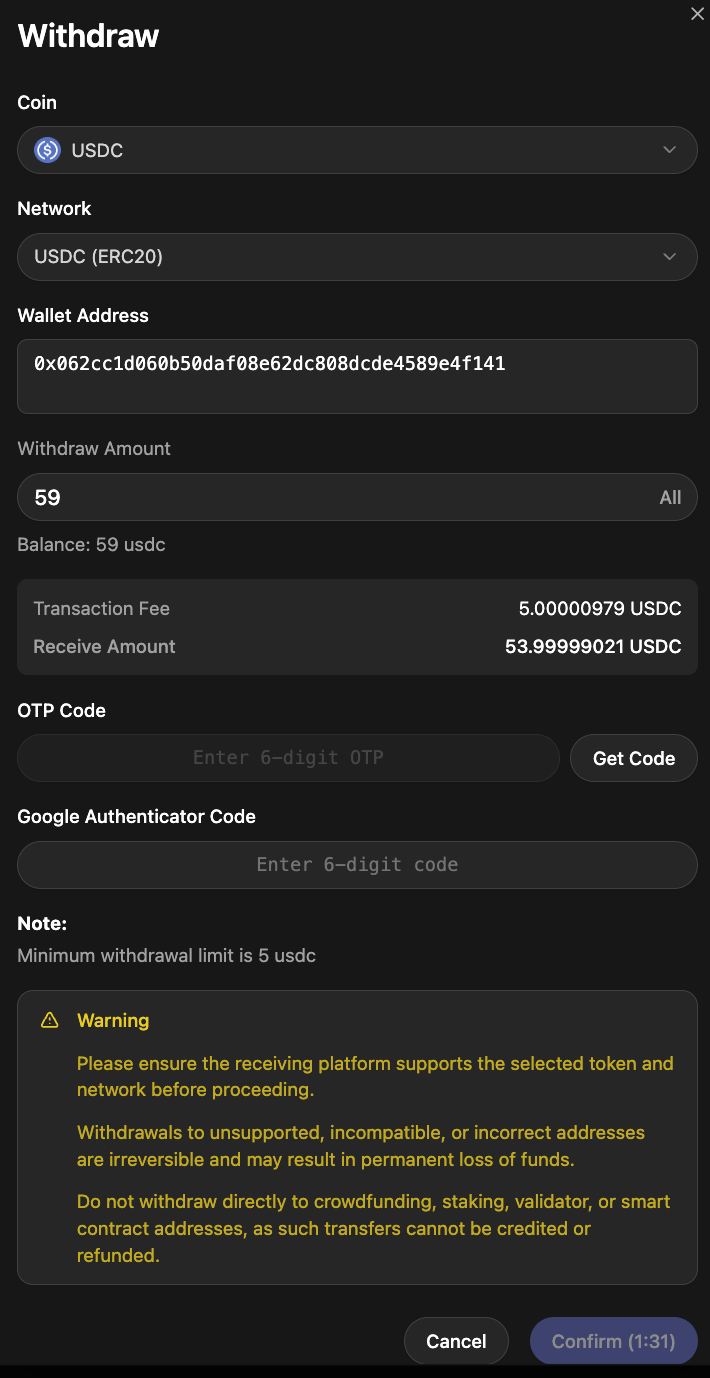
Click Estimate Fee to view:
The blockchain transaction fee
The final amount you will receive
Fees vary depending on network conditions.
For your protection, Bitval requires two authentication steps before confirming a withdrawal:
Email OTP (one-time password) code
Google Authenticator 2FA code
Enter both codes to proceed.
Review the details carefully and tap Confirm.
Your withdrawal will begin processing and can be monitored in your Wallet history.
A blockchain transaction hash will appear once the withdrawal is broadcast.
If the receiving address is incompatible with the chosen network, the funds will be permanently lost.
Once a withdrawal is sent to the blockchain, Bitval cannot cancel, reverse, or refund it.
Crowdfunding / ICO addresses
Staking or validator addresses
Smart contract addresses that do not support direct transfers
Such transfers cannot be recovered.
Always confirm the first and last characters of the wallet address and ensure you’re using the official Bitval website.
Email [email protected] if:
Your withdrawal is delayed
You used the wrong memo/tag (for applicable assets)
You suspect the address was incorrect
Your OTP or 2FA codes are not working
Fees are not loading or estimating
Include:
Coin
Network
Amount
Destination address
Transaction hash (if available)
