Depositing cryptocurrency into your Bitval account is fast and secure. Follow this guide to ensure your deposit is processed correctly and without issues.
Log in to your Bitval account.
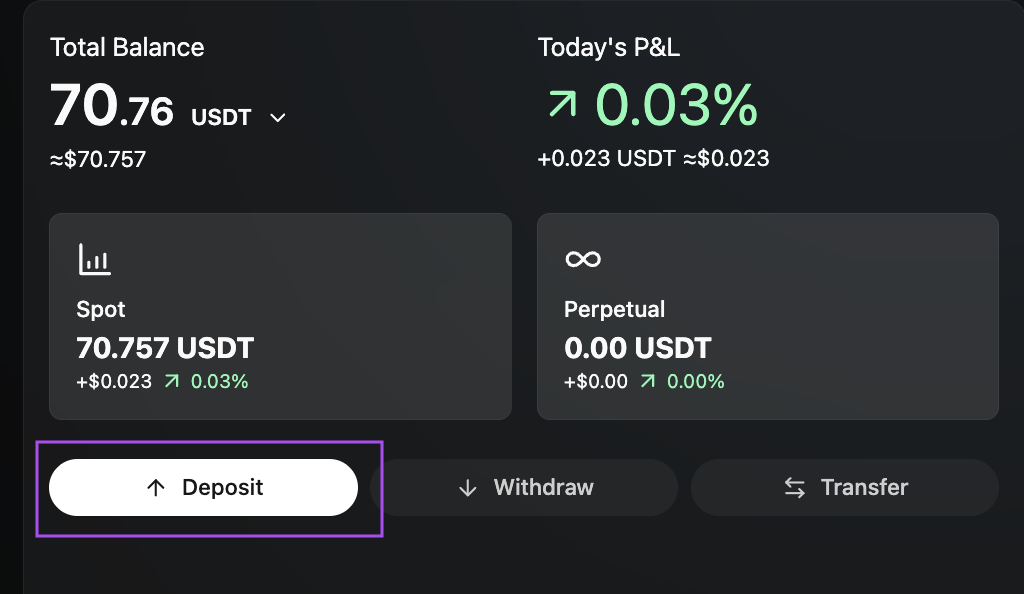
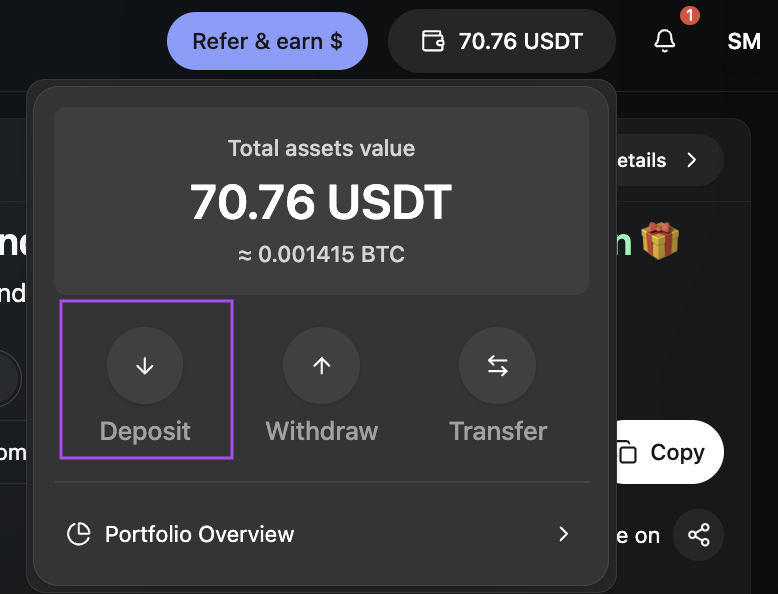
Click Deposit button from your Home screen or by clicking on the Wallet icon in the navigation bar:
Choose the cryptocurrency you want to deposit (e.g., BTC, ETH, USDT, USDC).
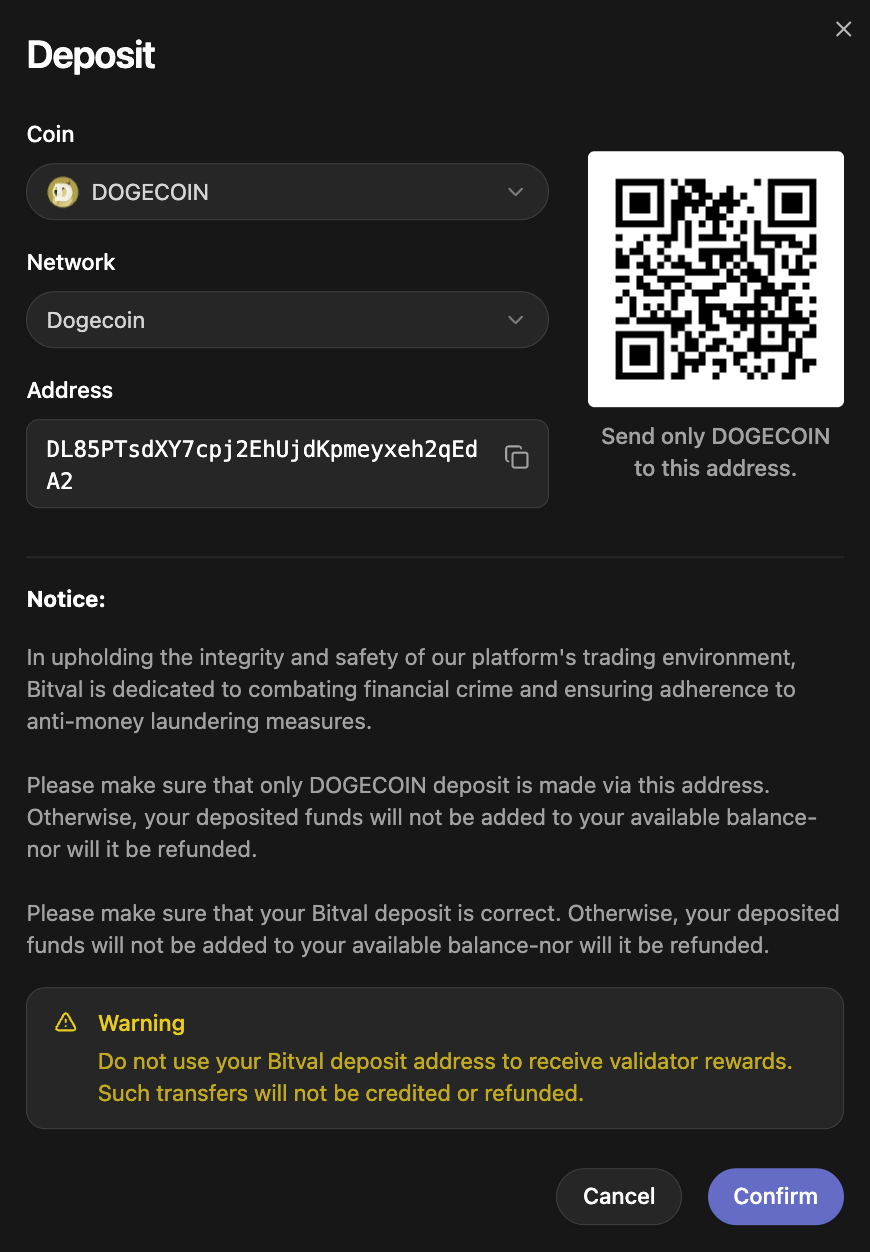
Each asset can only be deposited to its specific address and supported networks.
After selecting the coin, choose the network you want to use for the deposit.
For example:
USDC → ERC20
USDT → TRC20 / ERC20
BTC → Bitcoin Network
ETH → ERC20

⚠ Always make sure the network chosen on Bitval matches the network you use when sending funds from your external wallet or exchange.
Depositing on the wrong network may result in irreversible loss of funds.
You will see a unique deposit address and a QR code.
Click Copy icon to copy the address.
Double-check the first and last characters before sending.
⚠ Do not send unsupported assets to this address.
For example, sending USDT to a USDC address will result in permanent loss.
Go to the wallet or exchange where your funds are stored and:
Select Withdraw / Send.
Enter the Bitval deposit address.
Select the same network you chose on Bitval.
Enter the amount.
Confirm the transaction.
Once the transaction is broadcast to the blockchain:
You will see it appear as Pending in your Bitval wallet.
Your deposit will be credited after the required number of network confirmations.
Network congestion may delay crediting times.
You can view the transaction status via the blockchain explorer link provided in your wallet.
Depositing the wrong asset or using the wrong network cannot be reversed, credited, or refunded.
Once funds are sent, Bitval cannot cancel or recall them.
validator rewards
staking rewards
airdrops
ICO/crowdfunding contributions
smart-contract interactions
Your Bitval deposit address is not designed to receive these and they will not be credited or refunded.
Always verify you are copying the address from https://bitval.com and not from a third-party website or extension.
Reach out to Bitval Support if:
Your deposit is not credited after the normal confirmation time.
You accidentally sent a deposit with the wrong memo/tag (if applicable).
You suspect you copied the wrong address.
You see a failed or stuck transaction.
Provide the transaction ID, coin, network, and amount when contacting support.
